

Download Door Control – DVD tray control, system tray utility, hotkey tool, drive management, lightweight app
Overview
Door Control is a straightforward utility designed to simplify the management of a computer’s DVD tray through digital interaction. Its primary function is to allow users to open and close their optical drive with a single click or keyboard shortcut, eliminating the need to physically approach the device. This utility is particularly useful for users whose DVD drive buttons are damaged or unresponsive, offering a reliable software-based alternative. It also benefits those who prefer the convenience of managing their disc drive from their desk, especially during media playback, software installation, or disc swapping.
The app targets casual users, desktop enthusiasts, and individuals using older systems where optical drives remain functional but hardware components may degrade over time. While not a feature-rich application, Door Control serves a niche but practical purpose in the broader utility ecosystem. Its long-standing presence since 2010 suggests reliability and continued relevance for users who value minimalism and functionality. The developer, Jason K. Menard, has maintained a simple, focused approach, delivering a tool that solves a specific pain point without unnecessary complexity.
Real-world use cases include managing DVD trays during video editing, installing software from physical discs, or troubleshooting drive access issues. In environments where space is limited or mobility is restricted, the ability to control the drive remotely via the system tray enhances workflow efficiency. Although the app does not offer advanced features like disc detection or drive diagnostics, its singular focus on tray control ensures it remains efficient and stable.
Key Features & Functionality
- One-Click Control via System Tray: A small, unobtrusive icon appears in the system tray, enabling users to open or close the DVD tray with a single click. This eliminates the need to get up from the desk, improving convenience during extended work or media sessions.
- Custom Hotkey Assignment: Users can assign a keyboard shortcut to trigger the tray open/close action. This is especially beneficial for power users who rely on keyboard navigation and want to streamline repetitive tasks.
- Workaround for Malfunctioning Hardware: When the physical drive button fails, Door Control provides a software-based solution, allowing continued access to the disc drive without requiring repairs or replacement.
- Minimalist and Lightweight Design: The interface is intentionally simple, blending into the system tray without consuming attention or system resources. This design ensures the app remains invisible when not in use, preserving user focus.
- Low Resource Consumption: At just 1.2 MB, the application uses minimal memory and processing power, making it suitable for older or low-spec systems where performance optimization is critical.
For example, a user working on a video project involving multiple disc-based assets can quickly switch discs without interrupting their workflow. Similarly, someone using an older laptop with a failing drive button can restore functionality without technical intervention. The app’s simplicity ensures that even non-technical users can install and use it effectively.
Interface, UX & Performance
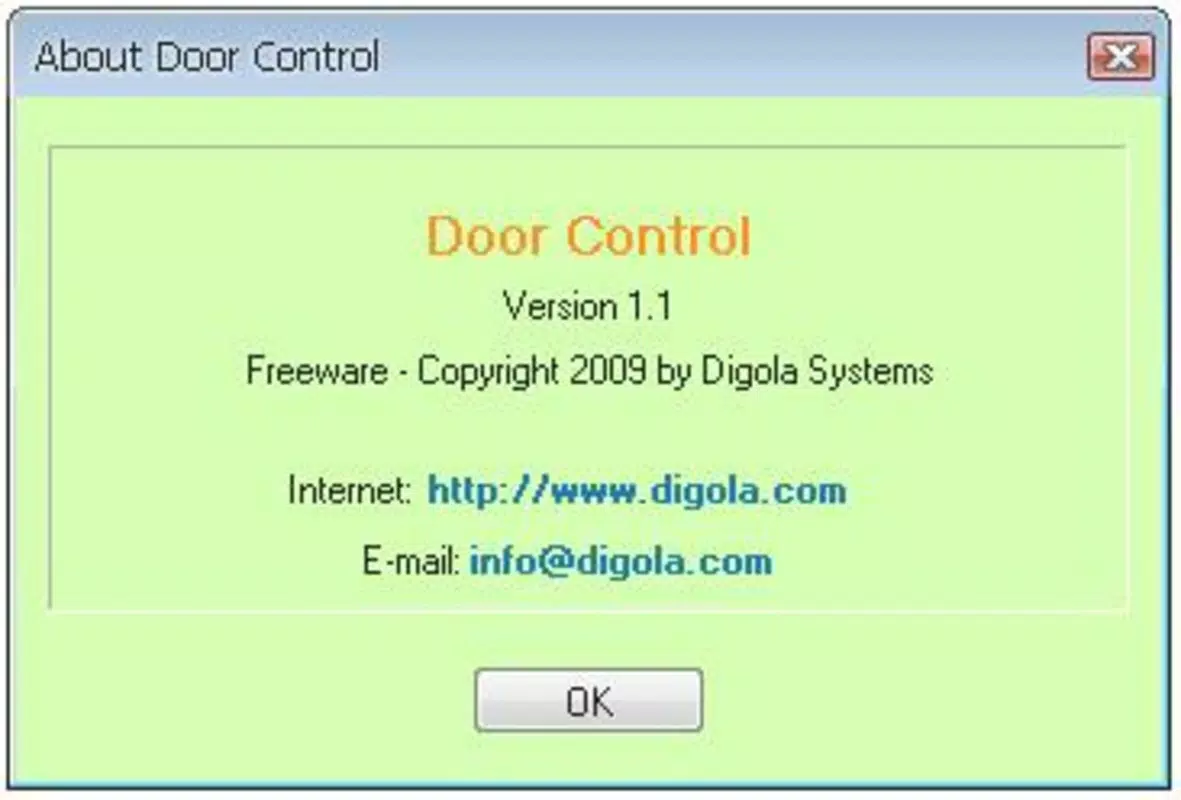
Door Control features a minimalist interface that integrates seamlessly into the Windows system tray. The icon is small and discreet, designed to avoid visual clutter while remaining accessible. Navigation is intuitive—users simply right-click the icon to access the open/close options, with no additional menus or settings required.
Interaction is immediate and responsive. Once launched, the app runs in the background, consuming negligible system resources. Although the developer did not list formal performance metrics, the app’s lightweight nature suggests it operates smoothly across various Windows configurations. Users on older systems, such as Windows 7 or 8, should experience stable performance without lag or crashes.
Responsiveness is consistent: actions are executed almost instantly after a click or hotkey press. Stability is maintained even during prolonged use, with no reported issues related to memory leaks or system interference. The app does not require administrator privileges, making it easy to install and run across different user accounts.
While the visual design is plain and functional, this aligns with the app’s purpose—utility over aesthetics. The lack of animations or complex UI elements ensures that the experience remains efficient and distraction-free.
Platform Compatibility & Technical Requirements
Door Control is designed for the Windows platform and is compatible with various versions of the operating system. The app is available in version 1.0.1.1 and has a file size of 1.2 MB. It is distributed as a free tool, making it accessible to a wide range of users.
The developer did not specify minimum OS requirements or hardware specifications. However, given its lightweight footprint and long-standing presence, it is likely compatible with Windows 7 and later versions. The app does not require significant system resources, which supports its viability on older or low-end machines.
Compatibility information was not fully disclosed. Users should ensure their system meets basic Windows compatibility standards. No additional dependencies or third-party software are required for operation.
Pros and Cons
Pros
- Simple, intuitive interface with minimal visual clutter
- Free to download and use with no hidden costs
- Lightweight application that uses minimal system resources
- Supports hotkey customization for faster access
- Effective solution for malfunctioning DVD drive buttons
Cons
- No advanced features such as disc detection or drive diagnostics
- Developer did not provide detailed system requirements
- Interface lacks visual feedback or status indicators
- Only supports Windows platform
- No update notifications or auto-update functionality
FAQ
Is Door Control safe to install?
Yes, Door Control is a free utility developed by Jason K. Menard. It does not contain malware or intrusive behavior. The app operates at the system level to control the DVD drive, but it does not collect user data or modify system files beyond necessary permissions.
Can I use Door Control on Windows 10 or 11?
While the developer did not specify compatibility details, the app’s lightweight nature and long history suggest it is likely compatible with Windows 10 and 11. Users should test it on their system to confirm functionality.
Does Door Control require admin rights to run?
Based on available information, Door Control does not require administrator privileges to function. It operates in user mode and can be launched without elevated permissions.
Can I assign multiple hotkeys for different drives?
The app supports a single hotkey assignment for the primary DVD drive. It does not offer multi-drive support or individual hotkey configurations for multiple optical drives.
Is there a mobile version of Door Control?
Door Control is designed exclusively for Windows desktop systems. There is no mobile version available for Android or iOS devices.
Final Thoughts
Door Control remains a niche yet valuable tool for users who need reliable, no-frills access to their DVD drive. Its simplicity, lightweight design, and free availability make it a smart choice for anyone dealing with a broken drive button or seeking a more convenient way to manage disc operations. While it lacks modern features or advanced functionality, its focused approach ensures it performs its core task efficiently and without interference.
Users who rely on optical media, work with older systems, or value minimalistic utilities will find Door Control to be a dependable companion. It’s not a productivity powerhouse, but it delivers exactly what it promises: instant control over the DVD tray with minimal effort.
For those seeking a secure, lightweight, and free utility to manage their drive, Door Control is a practical solution. Download Door Control now.


